LAYHER COMMERCIAL & INDUSTRIAL
Digital Scaffolding Planning
LAYPLAN SUITE – THE INTEGRATED SOFTWARE SOLUTION
Time and material are crucial factors in scaffolding construction.
To make the most efficient use of both, the Layher range includes the practical scaffolding planning software LayPLAN.
With the several software packages LayPLAN CLASSIC and LayPLAN CAD, it is possible to plan scaffolding structures from simple, small facade scaffolding up to complex industrial scaffolding or protective roofs.
Where LayPLAN Is Used Across Scaffolding Projects
LayPLAN Suite is used across a wide range of scaffolding projects where precision, speed, and coordination are critical. From early-stage planning to complex execution environments, LayPLAN helps teams design smarter and execute with confidence.
Typical Use Cases Include
- Industrial scaffolding planning (oil, gas, power, manufacturing)
- Large-scale commercial and infrastructure projects
- Complex facade and access scaffolding systems
- Temporary structures and protective systems
- Projects requiring detailed logistics and material planning
- Multi-trade environments requiring coordination and sequencing
How LayPLAN Suite Improves Scaffolding Planning
LayPLAN Suite provides advanced digital tools to plan, model, and manage scaffolding systems across all project phases, improving accuracy, coordination, and overall efficiency.
- Accurate 3D scaffold modeling and visualization
- Automated material lists and logistics planning
- Early detection of design conflicts
- Improved coordination across project teams
- Integration with digital engineering workflows
- Reduced material waste and cost overruns
These capabilities reduce risk, improve efficiency, and deliver more predictable, cost-effective project outcomes.
LayPLAN Provides a Strategic Planning Advantage
LayPLAN Suite gives project teams the ability to design, calculate, and optimize scaffolding systems before installation begins. By combining digital modeling with real-world engineering logic, LayPLAN improves accuracy, efficiency, and project coordination across all phases.
Key Benefits of Using LayPLAN
- Accurate scaffold layouts and 3D modeling
- Automated material lists and quantity calculations
- Improved cost planning and project estimation
- Optimized use of available scaffold components
- Precise load calculations and structural planning
- Efficient logistics planning, including transport and staging
- Reduced errors, rework, and on-site delays

LAYPLAN SUITE – THE INTEGRATED SOFTWARE SOLUTION
LAYPLAN CLASSIC
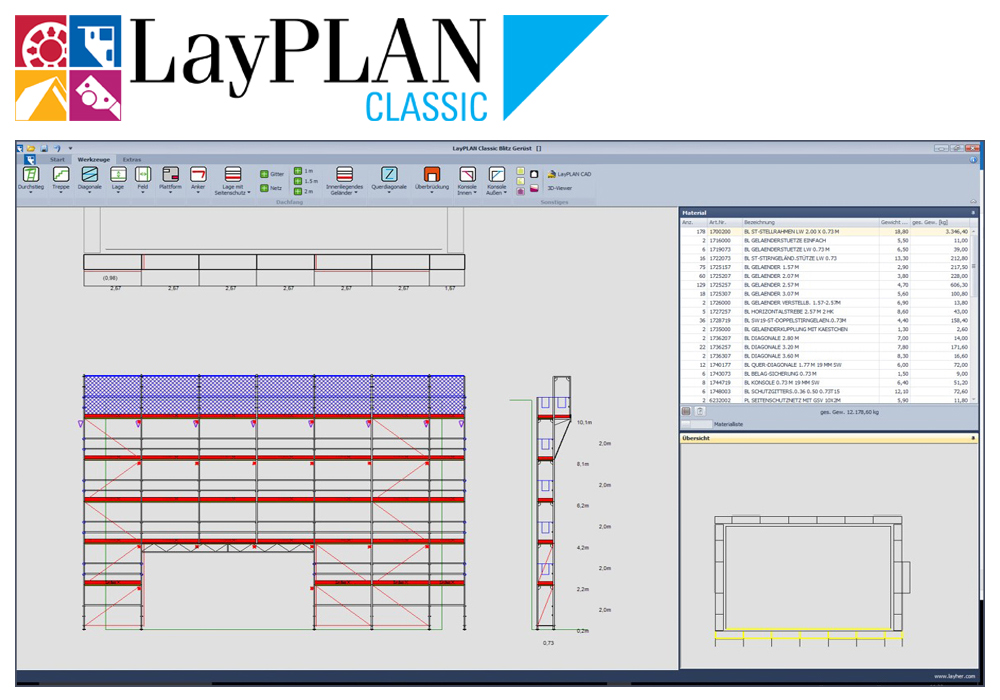
With the LayPLAN CLASSIC modules for Allround Scaffolding and SpeedyScaf, individualised scaffolding solutions can be configured quickly and easily: whether they’re for circular or facade scaffolding made from SpeedyScaf, for birdcage scaffolding and free-standing towers made from Allround Scaffolding, or for structures with temporary roofs.
Once the dimensions and the required assembly variant have been entered, LayPLAN CLASSIC delivers in seconds a scaffolding proposal, including anchoring, bracing and side protection. During the design phase, the overall length, standing heights and areas are continuously calculated and displayed to reflect the current plan.
A materials list can also be created at the click of a button and then printed out, together with an assembly sketch for the area to be enclosed in scaffolding plus the total weight. This also helps with the logistics – the required material is guaranteed to be there where it’s needed.
LAYPLAN CAD
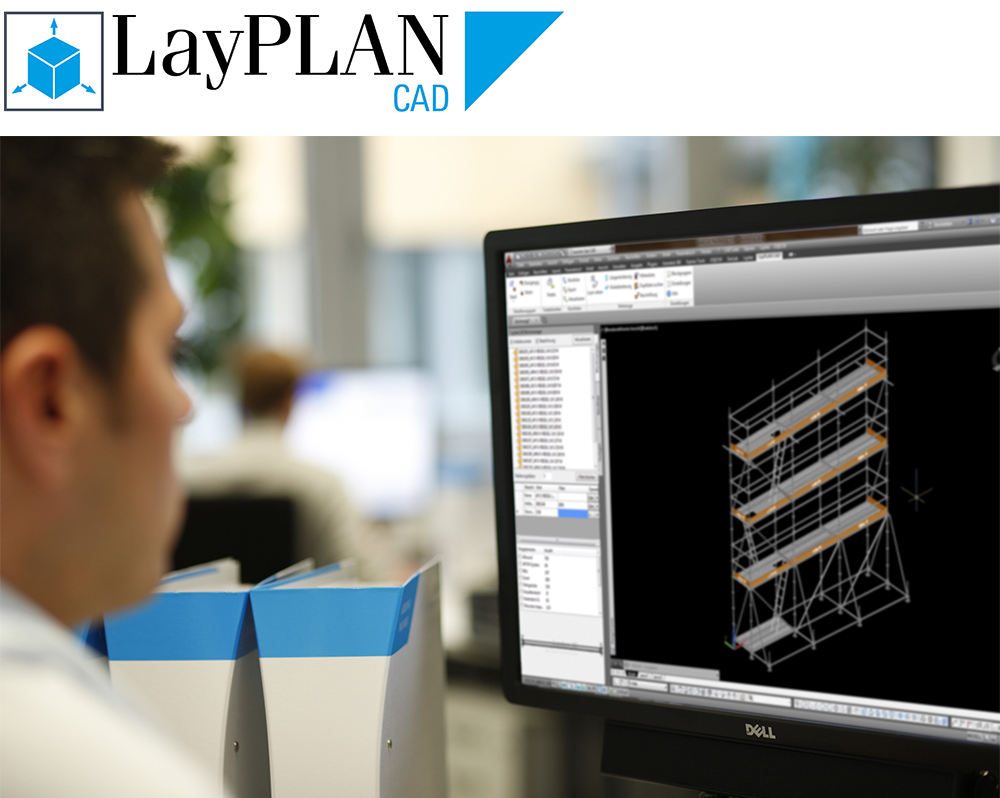
Thanks to integration into the LayPLAN system, the basic planning can be handled in automated form using the proven LayPLAN CLASSIC. Project data can be quickly recorded using input masks, ensuring a time saving for every order. The data are then simply exported into the AutoCAD program, which offers further possibilities for detailed 3D planning.
Using a convenient search function with preview image, scaffolding planners can find not only an extensive library of Layher individual parts, but also assemblies already prefabricated for even faster design work. The detailed drawings can then be printed out. It is possible to export them as 3D model too, e.g. for professional customer presentations or to share 3D models.
A transfer to visualization or animation software is also possible without any problem. This allows projects not only to be planned economically and also adapted precisely to actual requirements, but also to be presented professionally to customers. The LayPLAN CAD module is available in German, English, French and Spanish.
A materials list can also be created at the click of a button and then printed out. This also helps with the logistics – the required material is guaranteed to be there where it’s needed.
LAYPLAN TO RSTAB
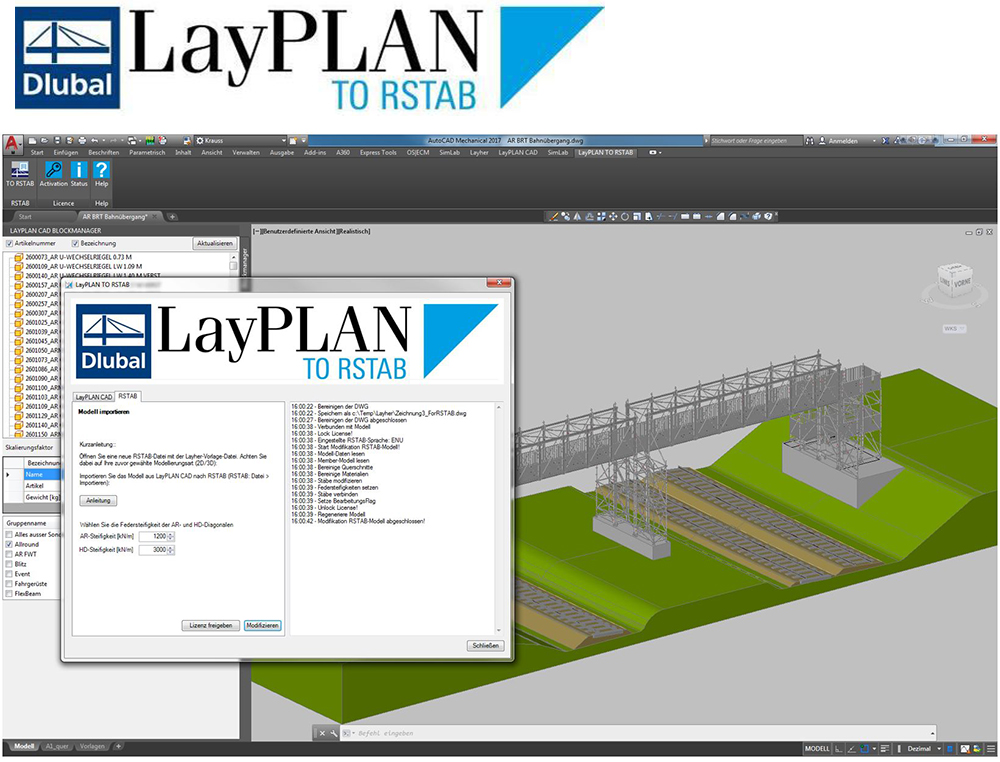
LayPLAN TO RSTAB makes it possible to conveniently and quickly transfer Allround Scaffolding constructions planned in LayPLAN CAD to the Dlubal RSTAB framework program.
A new modeling in the calculation program is eliminated. As a result, users benefit from enormous time savings and can additionally avoid possible sources of error.
In addition to the geometry of the design, the interface LayPLAN TO RSTAB also transfers the statically relevant information such as cross-section and material data, rod types, eccentricities and non-linear connection definitions in accordance with the German approvals.
LAYPLAN TO REVIT
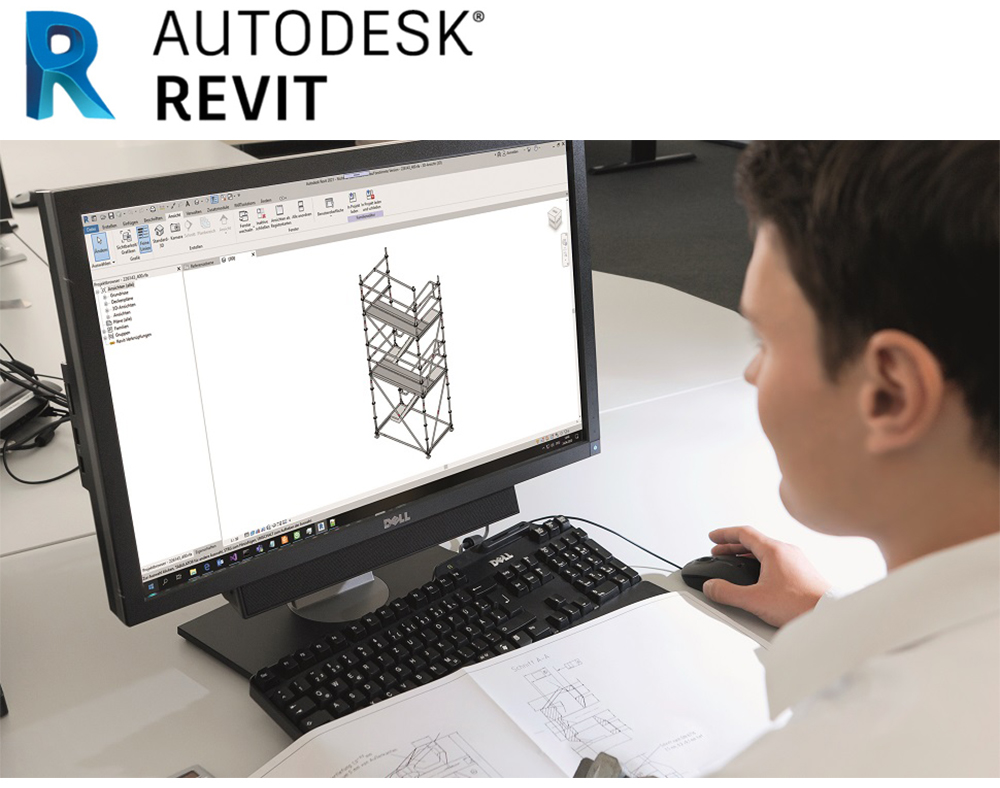
Using LayPLAN TO REVIT, 3D scaffolding models from LayPLAN CAD can be converted into the native file format *.rvt of Autodesk Revit with just a few mouse clicks.
Conversion is done with the aid of an online portal. Data from LayPLAN CAD is loaded using Drag & Drop onto the portal, and the converted data is then made available as a download link by e-mail.
LAYPLAN MATERIALMANAGER
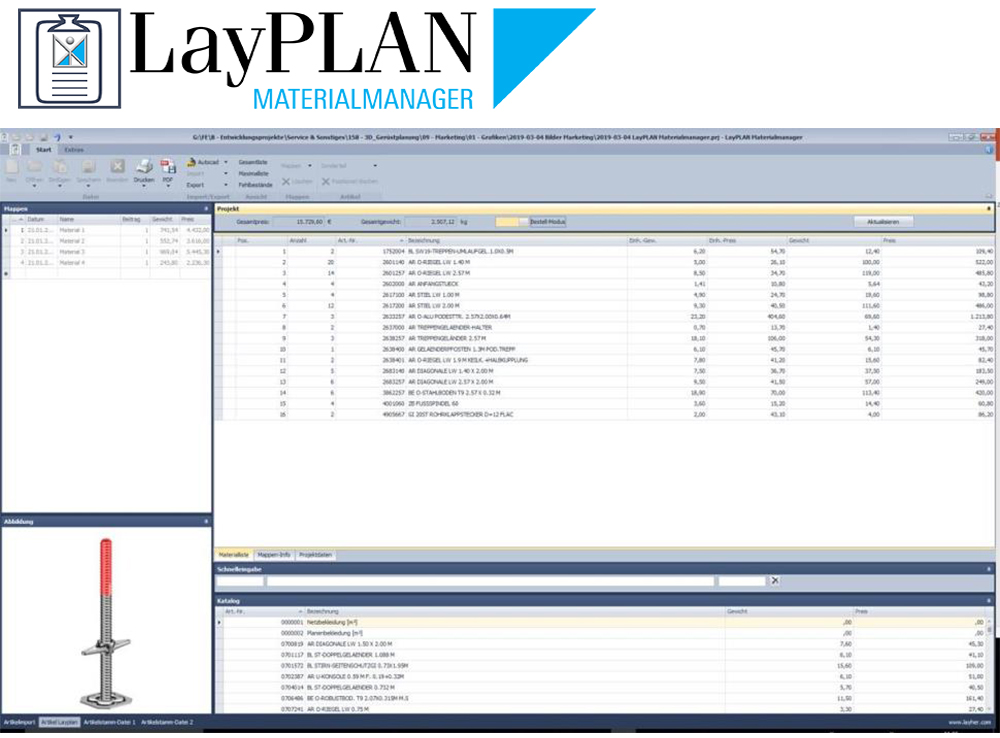
The LayPLAN MATERIALMANAGER is contained both in LayPLAN CLASSIC and in LayPLAN CAD. Material lists can be automatically generated from both programs and transferred to the LayPLAN MATERIALMANAGER for further editing.
Simple material lists can be created, or several construction sections, for example, can be split into different lists so that prices and weights can be considered separately.
For a better understanding, preview images of the components are displayed in the program and can be optionally included in the printout, making it easier to locate the scaffolding components during loading and assembly.
LAYPLAN VR VIEWER
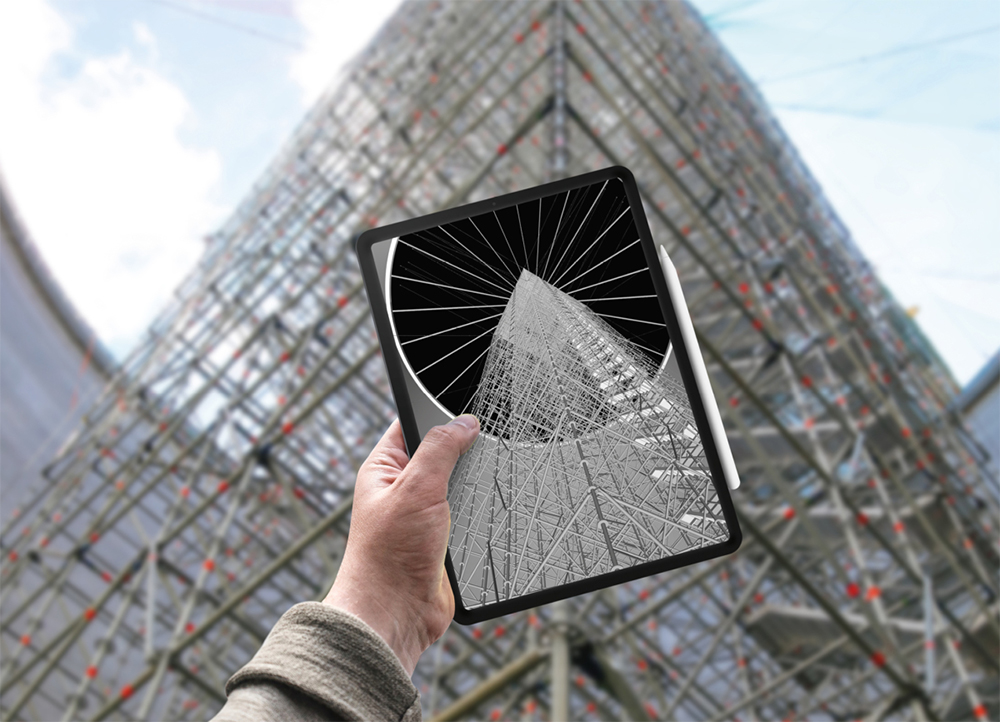
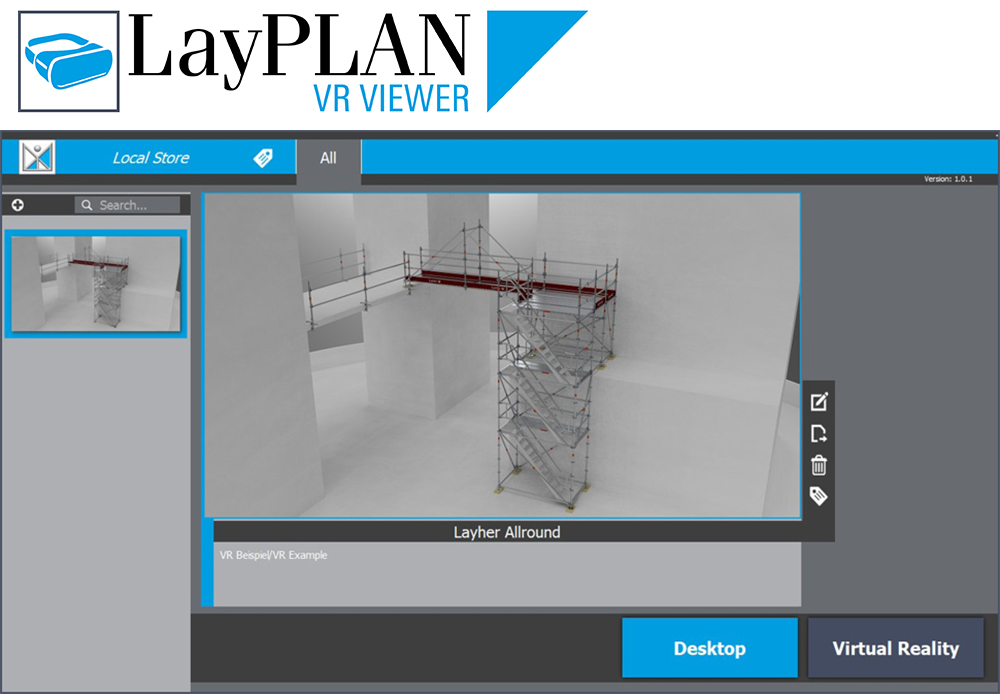
The free-of-charge LayPLAN VR Viewer enables virtual tours of scaffolding structures, conveying a realistic spatial impression of the overall situation. That makes it a very useful tool, for example when coordinating the work to be done at the site by the various trades or when assessing work safety.
Based on the data from LayPLAN CAD, Layher can create for you VR models that can be displayed in the LayPLAN VR Viewer.
If you have any questions about creating VR models, please get in touch with your contact partner at Layher.
The virtual tour requires a separate VR headset (e.g. Oculus Rift or HTC Vive) to be connected to the PC workstation. Optionally, the LayPLAN VR Viewer can also be started in Desktop mode without a VR headset.
LAYHER, THE INTEGRATED SCAFFOLDING SYSTEM: APPLICATION-ORIENTED ACCESSORIES
LAYPLAN CLASSIC
With the LayPLAN CLASSIC modules for Allround Scaffolding and SpeedyScaf, individualised scaffolding solutions can be configured quickly and easily: whether they’re for circular or facade scaffolding made from SpeedyScaf, for birdcage scaffolding and free-standing towers made from Allround Scaffolding, or for structures with temporary roofs.
Once the dimensions and the required assembly variant have been entered, LayPLAN CLASSIC delivers in seconds a scaffolding proposal, including anchoring, bracing and side protection. During the design phase, the overall length, standing heights and areas are continuously calculated and displayed to reflect the current plan.
A materials list can also be created at the click of a button and then printed out, together with an assembly sketch for the area to be enclosed in scaffolding plus the total weight. This also helps with the logistics – the required material is guaranteed to be there where it’s needed.
LAYPLAN CAD
Thanks to integration into the LayPLAN system, the basic planning can be handled in automated form using the proven LayPLAN CLASSIC. Project data can be quickly recorded using input masks, ensuring a time saving for every order. The data are then simply exported into the AutoCAD program, which offers further possibilities for detailed 3D planning.
Using a convenient search function with preview image, scaffolding planners can find not only an extensive library of Layher individual parts, but also assemblies already prefabricated for even faster design work. The detailed drawings can then be printed out. It is possible to export them as 3D model too, e.g. for professional customer presentations or to share 3D models.
A transfer to visualization or animation software is also possible without any problem. This allows projects not only to be planned economically and also adapted precisely to actual requirements, but also to be presented professionally to customers. The LayPLAN CAD module is available in German, English, French and Spanish.
A materials list can also be created at the click of a button and then printed out. This also helps with the logistics – the required material is guaranteed to be there where it’s needed.
LAYPLAN TO RSTAB
LayPLAN TO RSTAB makes it possible to conveniently and quickly transfer Allround Scaffolding constructions planned in LayPLAN CAD to the Dlubal RSTAB framework program.
A new modeling in the calculation program is eliminated. As a result, users benefit from enormous time savings and can additionally avoid possible sources of error.
In addition to the geometry of the design, the interface LayPLAN TO RSTAB also transfers the statically relevant information such as cross-section and material data, rod types, eccentricities and non-linear connection definitions in accordance with the German approvals.
LAYPLAN TO REVIT
Using LayPLAN TO REVIT, 3D scaffolding models from LayPLAN CAD can be converted into the native file format *.rvt of Autodesk Revit with just a few mouse clicks.
Conversion is done with the aid of an online portal. Data from LayPLAN CAD is loaded using Drag & Drop onto the portal, and the converted data is then made available as a download link by e-mail.
LAYPLAN MATERIALMANAGER
The LayPLAN MATERIALMANAGER is contained both in LayPLAN CLASSIC and in LayPLAN CAD. Material lists can be automatically generated from both programs and transferred to the LayPLAN MATERIALMANAGER for further editing. Simple material lists can be created, or several construction sections, for example, can be split into different lists so that prices and weights can be considered separately.
For a better understanding, preview images of the components are displayed in the program and can be optionally included in the printout, making it easier to locate the scaffolding components during loading and assembly.
LAYPLAN VR VIEWER
The free-of-charge LayPLAN VR Viewer enables virtual tours of scaffolding structures, conveying a realistic spatial impression of the overall situation. That makes it a very useful tool, for example when coordinating the work to be done at the site by the various trades or when assessing work safety.
Based on the data from LayPLAN CAD, Layher can create for you VR models that can be displayed in the LayPLAN VR Viewer.
If you have any questions about creating VR models, please get in touch with your contact partner at Layher.
The virtual tour requires a separate VR headset (e.g. Oculus Rift or HTC Vive) to be connected to the PC workstation. Optionally, the LayPLAN VR Viewer can also be started in Desktop mode without a VR headset.